
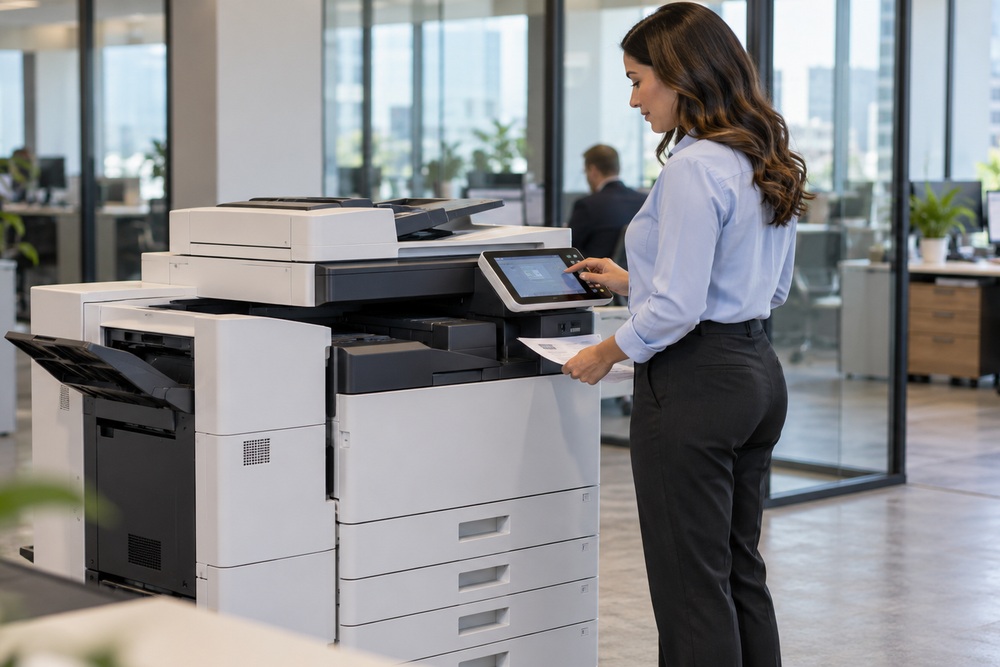
Modern offices rely on dependable printing, copying, and scanning systems to keep everyday operations organized. From preparing business reports to managing customer records, the right equipment helps employees handle documents efficiently. Choosing a Commercial Copier Lease can be a practical option for businesses that want access to office imaging equipment without making a large upfront purchase. Understanding your printing volume, document requirements, service needs, and budget can help you select a solution that supports your daily workflow.
How to Choose the Right Commercial Copier Lease for Your Business
Printing and document processing remain important parts of many business operations. Offices may need to produce contracts, invoices, reports, presentations, and other records regularly. When equipment cannot meet these demands, employees may experience delays and spend valuable time managing printing problems.
A suitable copier or multifunction printer can bring several essential tasks together in one device. Depending on the model, these systems may support printing, copying, scanning, and faxing.
Before selecting equipment, consider your organization’s requirements, including:
- Monthly print volume: Estimate how many pages your employees print and copy.
- Document types: Identify whether you primarily process text, graphics, forms, or mixed documents.
- Scanning requirements: Determine how frequently paper documents need to be converted into digital files.
- Maintenance and support: Understand what assistance is available when equipment needs attention.
- Office growth: Consider whether your requirements may change as your business expands.
These factors provide a useful starting point for evaluating equipment options.
Understanding Copier Leasing for Business Use
Leasing allows a business to use equipment under an agreement for a specified period in exchange for scheduled payments. Instead of purchasing a copier outright, a company can evaluate leasing arrangements that align with its operational and financial requirements.
Evaluate the Total Cost of the Agreement
A monthly payment is only one part of the overall cost. Businesses should review the complete agreement before making a decision. The contract may specify equipment charges, service coverage, usage allowances, supplies, and other applicable fees.
Ask the provider to explain which services are included and which may cost extra. Clarify the agreement’s duration, renewal conditions, end-of-term responsibilities, and any early termination charges.
Match Equipment to Your Workload
A small office with occasional printing requirements may need a different system from a department producing hundreds of pages each day. Selecting equipment based on actual usage can help prevent unnecessary spending or inadequate performance.
Consider paper capacity, printing speed, color requirements, scanning functions, and compatibility with your existing office network. A provider familiar with business imaging systems can help you compare available options.
How Leasing Office Equipment Can Support Productivity
For many organizations, Leasing Office Equipment is part of a broader strategy for managing workplace technology. Rather than focusing exclusively on the purchase price, businesses can evaluate how equipment, service, and ongoing operating expenses fit into their budgets.
Leasing may help preserve upfront capital, although the overall financial benefit depends on the contract and the cost of comparable purchasing options. Businesses should compare total payments over the agreement’s lifetime rather than assuming leasing will always be less expensive.
Service arrangements also deserve careful consideration. Some agreements include maintenance or technical support, while others charge separately for these services. Knowing the difference helps businesses plan more accurately.
Why Ongoing Service Matters
A copier that stops working during a busy period can interrupt important tasks. Regular maintenance and access to qualified technical assistance can help organizations address equipment problems and keep workflows moving.
When comparing providers, ask about service availability, maintenance arrangements, response procedures, and supply support. Check whether the proposed service agreement covers the specific equipment you intend to use.
Copiers Etcetera serves businesses throughout the Pacific Northwest with digital imaging solutions, equipment, maintenance programs, and technical support. Its offerings include multifunction imaging systems designed to handle common office printing, copying, and scanning requirements.
Improving Document Workflows With Scanning Technology
Efficient document management involves more than producing paper copies. Many businesses also need to convert physical records into digital files that employees can store, retrieve, and share through appropriate systems.
Multifunction printers often include scanning capabilities, allowing users to digitize documents without requiring a separate device for every task. Depending on the equipment and configuration, scanned files may be saved as PDFs or transferred to designated destinations.
When Should You Consider a Dedicated Scanner?
A dedicated scanner may be worth evaluating if your office regularly processes large quantities of paper records, needs specialized scanning functions, or requires a separate device for particular workflows.
When researching Portable Scanners for Documents, consider the size and volume of the materials you scan, the desired image quality, connectivity options, file formats, and compatibility with your existing software. Portability can be particularly useful when documents must be captured away from a fixed workstation.
Before choosing a scanner, identify how digital files will be named, stored, protected, and retrieved. Clear procedures can help employees manage documents consistently and reduce the time spent searching for information.
Choosing the Right Equipment Partner
Selecting equipment is only one part of building a dependable office imaging setup. Businesses should also consider the provider’s service capabilities, product knowledge, and ability to explain available options.
A useful evaluation process includes reviewing your current equipment, identifying recurring issues, estimating future printing needs, and comparing suitable systems. Ask for a clear explanation of costs and service terms before committing to a purchase or lease.
Copiers Etcetera is located at 15712 Mill Creek Boulevard, Mill Creek, Washington. Businesses can contact the company to discuss their digital imaging requirements and request information about available solutions.
Frequently Asked Questions
1. What should a business consider before leasing a copier?
Review expected print volume, equipment capabilities, monthly payments, contract length, maintenance coverage, supplies, and end-of-term conditions.
2. Can a multifunction printer replace separate office devices?
Depending on its features, a multifunction printer can combine printing, copying, scanning, and faxing in one system. The right configuration depends on your workload and required functions.
3. Is copier maintenance included in every leasing agreement?
No. Coverage varies by agreement. Confirm which repairs, preventive maintenance, supplies, and technical support services are included before signing.
4. How can businesses improve their document workflows?
Businesses can evaluate scanning capabilities, establish consistent file-naming practices, organize digital storage, and implement appropriate access controls for sensitive documents.
Contact Copiers Etcetera for Office Imaging Solutions
Reliable office equipment starts with understanding your business needs. By evaluating printing requirements, reviewing service agreements, and planning for digital document management, organizations can make more informed technology decisions.
Explore the available solutions from Copiers Etcetera and discuss your office imaging requirements with the team.
Contact Copiers Etcetera
Phone: (425) 486-2679


